What’s New at 4Degrees
A running log of the latest product updates, new features, AI-powered capabilities, and improvements designed to help deal teams manage relationships and deals more effectively.
October 16, 2026
Get Better Answers From Scanned and Image-Heavy PDFs
Document Intelligence and chat can now read PDFs that contain little or no selectable text. When a file is a scan, a slide deck, or mostly images, 4Degrees switches to visual extraction instead of returning a thin result.
Why it matters: Pitch decks and scanned agreements now work in the same workflows as text-based documents.
Set Up New Mandates Faster With Inherited List Structure
New counterparty lists can now inherit your organization's chosen structure, including fields, stages, and formulas. Names are prefilled from the mandate, so there is less to type and fewer setup mistakes.
Why it matters: Each new mandate starts from a proven template instead of a blank list.
View Smaller Improvements and Fixes
Reliable Gmail catch-up after reconnection: Gmail now resumes syncing from the point of interruption after you reauthorize, recovering up to 30 days of messages.
Safer contact CSV imports: Duplicate detection keeps different people with the same name separate, handles multiple addresses in one email cell, and resolves duplicate warnings before import.
Fresh deal lists in the Outlook add-in: Newly created lists appear right away when adding a record, and company details are preserved if a selected list is removed.
More dependable reporting: Deal reports now run when all numeric values are identical or when filtering by company.
Clearer job and employer information: Primary jobs now appear first in contact views, including older records that never marked a primary role.
More accurate "Going Quiet" results: Deals in a stage named "Won" are treated as finished and excluded from inactivity alerts.
October 9, 2026
Put a Single Headline Metric on Any Report
Deal, contact, and interaction reports can now display a Big Number. Pick the one figure your team tracks most and it shows as a single headline metric. Big Numbers also work on dashboards, shared reports, and PDF and PNG exports, with an optional description for context.
Why it matters: The number your team cares about is visible at a glance, in the app and in every export.
See Deals Assigned to You in One Click
Deal lists now include a built-in "Assigned to me" view. It shows every record assigned to you, with no filter setup needed. The view carries through exports and related list workflows.
Why it matters: Your own deals are always one click away, the same way "Your companies" works on the Companies page.
View Smaller Improvements and Fixes
More accurate report totals: Deal reports now use the latest saved numeric values, so rows, charts, and totals stay current.
Reliable contact references: When several contacts share a name, Contact Reference fields keep the exact person you selected.
Contact saves complete during background refreshes: Contact updates and membership changes now finish reliably even while team-contact processing is busy.
More dependable AI-assisted deal editing: ChatGPT and Claude integrations can update deals without intermittent errors and can write to custom fields named "Notes."
Formula filters work as expected: "Is empty" and "is not empty" filters now filter Formula fields correctly in deal lists and Kanban views.
Safer CSV imports: Deal imports catch duplicates despite unusual whitespace, and contact imports use the correct organization without partial failures.
Cleaner contact names: Contact enrichment and email add-ins no longer produce duplicated, malformed, or email-address-based names.
Exchange settings load reliably: Admins can open Exchange sync settings even when a team member has no email address on file.
October 2, 2026
See the Companies You Own in One Click
The Companies page now has a built-in "Your companies" view. It shows every company you own, with no filter setup needed. The view works the same way across lists, counts, exports, and saved views.
Why it matters: Your coverage list is always one click away, and the numbers match wherever you use it.
Deal Chart Averages Now Match Your Reports
Deal charts now leave blank values out when calculating averages. Chart numbers match your report tables and are no longer pulled down by deals with missing data.
View Smaller Improvements and Fixes
Contact report sharing: Contact reports now follow only the sharing rules of the workspace you are viewing, so contacts show or hide as expected.
Smoother workflows when an email bounces: Gmail connections, CSV uploads, password resets, and other actions now finish normally even if a follow-up email is rejected by the email provider.
More reliable enrichment and job edits: Job edits and contact enrichment updates now save reliably, even when both happen at the same time.
Consistent company name corrections: When a company name is corrected, related records, aliases, and job history now update together, including capitalization-only changes.
September 25, 2026
See Your Strongest Path Into Any Company
Company pages now highlight the teammate with the strongest connection to a current employee. The best path to an introduction is visible at a glance, so you can ask the right person without digging through contacts. Contact cards also handle current and former roles more accurately.
Set Recurring Reminders With Ask 4Degrees
Ask 4Degrees can now set a contact's recurring reminder cadence from a natural phrase like "every six months." Say it once and the reminder repeats on schedule.
Why it matters: Staying in touch with key relationships takes one sentence instead of a trip through the settings.
View Smaller Improvements and Fixes
Unstacked deal report charts: Deal reports now support "None" as the chart section, so you can build clean views like deals per owner. Pie and doughnut charts also render correctly with custom themes.
More reliable deal reports: Applying chart, grouping, sorting, or filter changes now keeps your selected deal list and saved filters, and PDF exports show the correct chart type and stage breakdowns.
Report reordering: Saving a new report order from the Reports dashboard now completes without an endless loading state.
Safer company renaming: Renames involving duplicate records complete more reliably and will not merge records from another organization.
Faster interaction reports: Date-based meeting queries use a more efficient data path, which speeds up reports for organizations with large meeting histories.
September 18, 2026
Export Usage Reports as Branded PDFs
Usage reports now export as polished, customizable PDFs. Each one includes your branding and a cleaner header layout, so it's ready to send without extra formatting.
Set a Default Landing Page for Your Team
Organization admins can now make Reports the default landing page for the whole team. Individual users can still set their own preference, and links to a specific page always take priority.
Why it matters: Teams that live in Reports skip the extra click every time they log in.
View Smaller Improvements and Fixes
More accurate AI answers: Pipeline breakdowns now follow your configured stage order, and reminder searches match cadence labels with durations like "6 months."
Find unassigned companies: The companies list now supports "is empty" and "is not empty" filters for Assigned To, so coverage gaps are easy to spot.
Clearer warnings for stalled Outlook sync: Manage Email Sync now flags it when Microsoft timeouts or throttling pause background syncing.
Reliable duplicate-company merging: Companies that share the same multi-select values can now be merged without errors or duplicate data.
Better contact details in browser extensions: Gmail, Outlook, and LinkedIn integrations can now open permitted contacts that previously showed up as missing.
Helpful Microsoft Teams responses: Unconnected users now get clear connection or recovery guidance instead of silence from the Teams assistant.
Safer deal CSV imports: Unsupported rows are rejected before they create incomplete deals, and admins get accurate success, warning, or failure messages.
More reliable company pages: Users with restricted visibility can keep viewing and editing an accessible company even when a hidden duplicate record exists.
September 11, 2026
More Reliable Contact and Company Records
You can now remove email-derived contacts from the wrong company record. Tag updates are also more resilient when teammates edit at the same time, cutting down on stale or conflicting data.
Why it matters: Cleaner records mean less manual cleanup for your team.
Smoother Microsoft Teams Onboarding
Teammates who use Save to 4Degrees before connecting their account now see a direct Connect button. Help and greeting commands also work before you sign in.
View Smaller Improvements and Fixes
Cleaner Outlook add-in navigation: Opening a 4Degrees record from the new Outlook for Windows no longer leaves an empty Outlook window behind.
Clearer Granola import status: Granola settings now explain when a note was skipped because it had no external attendees or could not be found.
September 4, 2026
Capture the Full Outlook Conversation From Any Message
Saving an interaction from Outlook now captures the latest version of the conversation, no matter which message in the thread you have open. Captured threads display in full and load faster as you move between messages.
Why it matters: You get the whole conversation in 4Degrees without hunting for the right message to save.
Access Documents, Deal History, and Notes Through the API
API clients can now download contact and deal documents, view deal change history, pull recorded introductions, and retrieve each teammate's permitted contact notes. This brings mobile and integration experiences closer to what the web app offers.
Why it matters: Teams building on 4Degrees can surface more of the record wherever their people work.
View Smaller Improvements and Fixes
Contact enrichment: Automated enrichment now discards placeholder responses, rejects weak identity matches, and checks existing employment details before updating a contact.
Contact filters and exports: "Last Interaction after" exports now include contacts even when a teammate holds an older copy, and "Is not" filters work correctly across interaction, email, meeting, and date fields.
Data protection: Contact lists stay within the active organization, deal documents follow deal-level visibility, and reports respect each viewer's interaction-sharing permissions.
Deal activity feeds: Meeting-attendance checks were streamlined so feeds with many meetings and participants load without timing out.
Contact details: Contact detail responses now combine related records linked through multiple email addresses, matching the view shown elsewhere in the product.
Outlook add-in sign-in: Microsoft sign-in accepts email addresses in any capitalization.
Toolbar at high zoom: Contact and company toolbar actions stay clickable when browser zoom or display scaling wraps the navigation bar.
Ask 4Degrees reminders: Priority searches use the correct tiers and understand phrases like "quarterly" or "every six months."
Mobile document edits: Document renames on mobile now save correctly and respect the same access controls as the web app.
August 28, 2026
Get Complete Ask AI Answers on Larger Datasets
Ask AI can now work through longer questions without cutting off partway. Company-based queries also perform reliably on larger datasets, so answers that draw on a lot of data come back complete.
Why it matters: Bigger questions now get full answers, not partial ones.
Search Every Deal List in One API Request
Customers building on the API can now search across every deal list they have access to with a single request, instead of querying lists one at a time.
Why it matters: Faster results for mobile experiences and integrations built on 4Degrees.
View Smaller Improvements and Fixes
Accurate contact activity feeds: Activity pages now build each page after applying sharing permissions, so feeds show the right interactions without gaps or sparse pages.
Cleaner Outlook email threads: Email activity captured from Outlook now displays cleanly, without stray reply markup or formatting artifacts.
Outlook record links open once: Opening a record from the Outlook add-in no longer creates an extra empty Outlook window.
More dependable saved views and filters: Contact and company filters now keep their intended fields and values across saved views, legacy lists, and Ask AI.
Consistent contact owners in the API: The contacts API now matches the web application when an owner has been removed from a contact.
Safer deal moves and automations: Deal destinations and mapped fields are now revalidated before changes apply, preventing moves into unavailable or unauthorized lists.
Support launcher out of the way: The HelpScout launcher has moved to the bottom-left throughout the application so it no longer covers import, template, or list controls.
August 21, 2026
Export Your Full Contact List in the Background
API users can now request a complete contact export as a background job. Start the export, check its progress, and download the file when it is ready.
Why it matters: Large exports no longer tie up your session.
Search Contacts by Phone Number or Email Domain
Team Contacts search now matches phone numbers regardless of dashes, spaces, or country code, and finds people by part of their email domain.
View Smaller Improvements and Fixes
Stronger sharing-permission enforcement: Contact activity feeds and deal associations now apply each person's sharing permissions consistently across every view.
Recent meetings through the API: The v2 API can now return a user's recent meetings as consolidated events with attendee details, giving mobile and integrations a more reliable source.
Smoother Outlook Exchange setup: Exchange connections now complete after authentication, with clearer error messages and correct guidance on username format.
Complete contact-list pagination: Contact lists now page through the full result set when duplicate profiles are consolidated.
Resilient sign-in flows: Declined SSO attempts now return users to a clean login page, ready to try again immediately.
Current roles at a glance: Team Contacts surfaces each person's primary current position, so you see where someone works today.
August 14, 2026
Connect 4Degrees to Microsoft Copilot
Microsoft 365 Copilot and Copilot Studio can now connect to the 4Degrees MCP service, with improved authentication, discovery, and connection security.
Teams working in the Microsoft ecosystem can bring 4Degrees relationship and deal data into Copilot workflows, the same way Claude and ChatGPT users already do.
Why it matters: Your CRM context should be available wherever your team already works with AI.
Note Drafts That Survive Interruptions
Notes entered on contact, company, and deal pages are now saved locally as you type. If the page closes, refreshes, or is interrupted, you can restore the draft and pick up where you left off.
Why it matters: A closed tab should not cost you the notes from a call.
View Smaller Improvements and Fixes
Safer mass-email delivery: Suppression lists are now rechecked at the moment of send, adding a final safeguard so messages only go to eligible recipients.
Stronger "Add without data enrichment" control: This option now fully blocks enrichment, keeping private companies from being matched with same-name businesses.
Cleaner contact reports: Reports, charts, and CSV exports now consolidate duplicate representations of the same person.
More scalable interaction reports: Large interaction reports now keep filtering in the database, improving performance while preserving visibility rules.
Better enrichment accuracy: Contact enrichment now handles first-name email addresses more reliably and standardizes location formats while preserving unresolved values.
Clearer Mailchimp sync results: Partial tag failures now surface as warnings, and expired or revoked credentials prompt a reconnect instead of a generic error.
More reliable Granola setup: Granola connections now use its current webhook event contract, fixing a failure that could block integration setup.
Correctly ordered exported charts: Date-based line and area charts in PDFs and scheduled reports now display oldest to newest, matching the on-screen dashboard.
Customized deal terminology in exports: Export files and completion emails now respect each organization's or pipeline's preferred deal label, such as "Investment" or "Opportunity."
Smoother Settings navigation: Settings links now behave consistently from nested pages across desktop and mobile.
August 7, 2026
Merge Duplicate Deals Without Losing Their History
You can now merge 2 to 10 duplicate deals through a guided conflict-resolution flow. Pick the primary record, resolve any conflicting fields, and merge. Related contacts, notes, documents, tags, and custom fields all carry over.
Why it matters: Duplicate deals fragment relationship history. Teams can now clean them up on their own, with nothing lost in the merge.
Smarter AI Assistant List Actions
The AI Assistant now understands the active filters on contact, company, and deal lists. Counts are accurate and bulk field updates apply to the records you are actually viewing. Responses also better protect internal system details.
Team administrators can also now explicitly control whether AI features may process imported email content.
Why it matters: The Assistant is more useful when it works from the same view you do, and admins get clearer control over what AI can touch.
View Smaller Improvements and Fixes
Faster, more reliable mobile views: Team contacts now open correctly from mobile lists, and paginated deal activity feeds load faster on interaction-heavy deals.
Faster company search: Dealroom-powered company searches return results more efficiently, especially for companies with extensive funding data.
More consistent contact search: Global search now follows the same visibility rules as contact lists, and contacts affected by email-in-name data issues are easier to find.
Reliable deal-contact associations: Associating contacts with deals no longer fails when actions overlap, retry, or run at the same time.
Improved email attachment imports: Calendar files and similarly sized attachments are handled more accurately, reducing misleading "attachment unavailable" errors.
Saved-view deletion that sticks: Deleting a saved view now takes effect immediately after confirmation and reports failures instead of silently restoring the view later.
One-click dropdown sorting: Select and Multi-Select field options can now be alphabetized within each section with a single action.
More flexible board PDF exports: Board exports can include up to five optional fields per card, while existing exports keep their current defaults.
More resilient meeting sync: Email and calendar syncing now continues gracefully when a related contact was recently deleted or merged.
July 31, 2026
Find Integrations and Product Updates Without Leaving the Dashboard
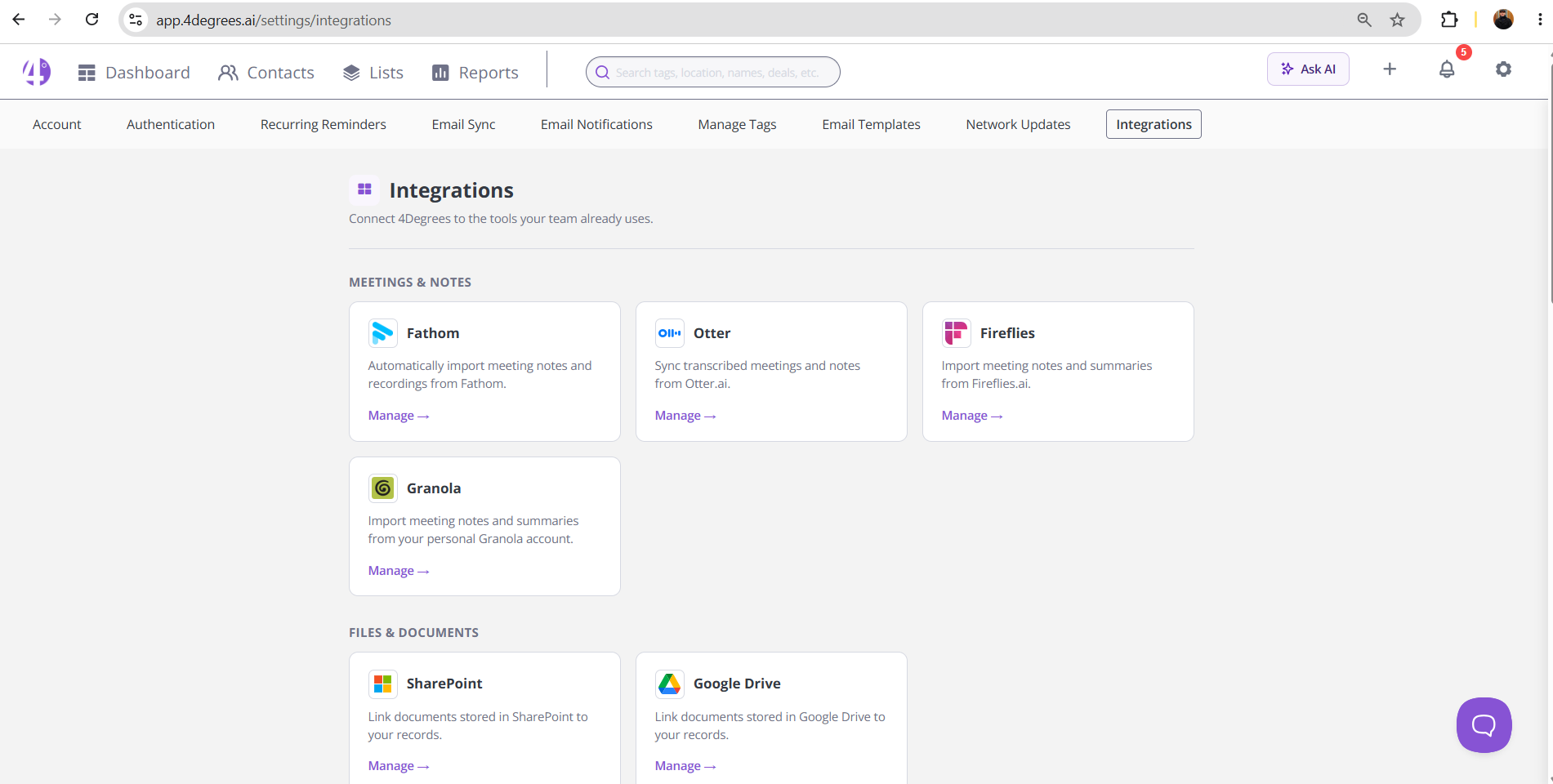
The dashboard now surfaces the integrations catalog and current “What's New” content directly. The Claude and ChatGPT integration card also shows clearer capabilities and recognizable branding, so it is easier to tell what the integration actually does.
Imported meeting notes are also more reliable. Notes from Granola, Fathom, Otter, and Fireflies are no longer discarded when the same meeting arrives through calendar sync, so meeting history in activity feeds stays complete.
Why it matters: Less hunting for what 4Degrees connects to, and a fuller meeting record on the people and deals you are tracking.
View Smaller Improvements and Fixes
More complete contact and company data: Names that contain an email address are now parsed and findable in Team Contacts, and contacts relink automatically when a matching company is created later or its URL is corrected.
Better company context on web-created deals: Typing a company name without selecting an enriched suggestion now still populates company description data instead of leaving it blank.
More consistent custom fields: Select options are no longer dropped when option headers share a name, and duplicate default headers are prevented.
Consistent deal terminology: Per-list deal terminology now carries through list, report, and deal-detail views.
July 24, 2026
Keep Deal Ownership Clear After Users Leave
Deactivated users now appear clearly in Owner and Assigned To pickers, grouped under a Deactivated section, and are labeled in the deal list. Quick edits update the label right away, with no refresh needed.
Why it matters: Ownership stays legible after someone leaves the team.
View Smaller Improvements and Fixes
Clearer registration code status: Admins can now see expiration dates, filter active against expired codes, and get warned before copying an expired invite link. Seat and invite counts include only usable codes.
More reliable activity feed pagination: Feeds now exclude future meetings before paging, so pages no longer appear empty when older activity exists.
More reliable deal lists: Deal lists now finish loading even when Kanban controls or tag overflow helpers are unavailable, avoiding loading errors, stuck overlays, and rows that fail to render.
Cleaner contact portfolio sections: Contact detail pages now collapse duplicate portfolio company cards that share the same visible company name.
More resilient deal reports: Deal reports no longer fail when a last interaction note has no text, so exports and report views keep working.
More resilient Outlook calendar sync: Calendar items missing start or end times are now skipped safely instead of failing sync repeatedly.
Safer company interaction history: Extremely future-dated email and meeting timestamps are now handled safely when updating company interaction history.
July 17, 2026
Find the Right Deal Faster in Outlook
The Outlook add-in now returns more matching deals and ranks direct deal-name matches higher. When there are too many matches, you are prompted to refine the search instead of missing results silently.
The create-deal wizard also got clearer. Suggestion cards now show high, medium, and low confidence visually, so you can judge extracted values instead of treating every suggestion the same. The Email thread action on contact and deal views now sits cleanly inside the header card, with contact role and company shown more cleanly.
Why it matters: Less time hunting for the right deal from your inbox, and more clarity on which extracted values to trust.
View Smaller Improvements and Fixes
Safer rich-text links: Unsafe links in rich-text content, including mass emails, are now converted to plain text instead of remaining clickable.
More reliable report exports: Background CSV exports for deal and contact reports now handle unexpected custom-field types instead of failing silently.
Stronger bulk deal permissions: Bulk stage-change and delete actions now check admin permissions against the correct organization.
More reliable contact merges: Merging duplicate contacts now preserves introduction references tied to imported emails, keeping relationship history intact.
Clearer AI file-apply outcomes: Partially successful contact updates from files are now reported as partial instead of fully applied.
Resumable AI file-apply batches: If a file-apply batch is interrupted mid-run, retrying resumes pending work instead of erroring out.
July 10, 2026
Save Contact Reference Fields on Deals Without Errors
Deal custom fields that use Contact Reference now save correctly the first time you select a contact, including fields converted from Text. The false "Contact does not exist" error is gone.
Why it matters: You can link existing contacts to deals reliably, with no retries or workarounds.
View Smaller Improvements and Fixes
Reminder assignment edits: Editing a reminder without changing its assignee no longer triggers duplicate notifications, and invalid assignees are now rejected safely.
Deal activity feeds: Feeds once again include interactions from associated contacts, so teams see a fuller view of relationship history on a deal.
July 6, 2026
See the Full Relationship History on Every Deal
Deal activity feeds now consistently include interactions connected through associated contacts.
This gives teams a fuller view of the relationship history behind each deal, without needing an org-level opt-in setting.
Why it matters: Deal decisions are better when the full interaction history is visible in one place.
View Smaller Improvements and Fixes
Safer report exports: Report CSV exports no longer store session security tokens in saved export parameters, reducing sensitive-data exposure while keeping export behavior unchanged.
More reliable AI Assistant pasting: Pasting notes and other text into the assistant composer now works more reliably, including from sources that put both text and file data on the clipboard, and long pasted text is kept up to the allowed limit instead of being silently rejected.
June 29, 2026
Automate Follow-Ups Around Important Deal Dates
Admins can now create deal automations that trigger when a Date field reaches a specified value, with a configurable offset before or after the selected date.
This makes it easier to turn important deal milestones, deadlines, and follow-up dates into timely actions without relying on manual tracking.
Why it matters: Important dates should lead to action. Date-based automations help teams stay ahead of deadlines, follow up consistently, and keep deals moving forward.
View Smaller Improvements and Fixes
Faster filtered deal lists: Deal views with multiple filters now load faster and more reliably, including complex views that could previously time out.
More reliable mass email campaigns: Campaign duplicate detection now considers the actual recipient set, so consecutive sends to different groups are no longer incorrectly treated as duplicates.
Improved Outlook add-in support: The Outlook add-in now handles calendar appointments and sent messages more accurately, prioritizing the external contacts involved instead of the signed-in user.
Expanded API v2 support: Integrations can now update contact custom fields, including text, number, date, select, and multi-select fields. Company responses also include more complete contact, custom-field, and associated-deal data.
Correct deal dates across time zones: Editing a deal Date field now uses the user’s time zone, preventing dates from shifting to the wrong calendar day.
Improved Team Contacts pagination: Users can now move through Team Contacts pages normally after contact counts finish loading in the background.
Clearer reports dashboard layouts: Pinned reports now display at a maximum of two per row, with additional spacing around chart labels to improve readability.
More accurate AI Assistant company citations: AI Assistant citations now display the correct company names and avoid linking to the wrong record when a company cannot be matched safely.
Clearer API key copy confirmation: The API settings page now shows a clear confirmation after an API key has been copied.
June 22, 2026
Customize Your Reports Dashboard
The Reports dashboard now gives teams more control over the information they see at a glance.
Instead of a fixed two-report layout, users can now build a responsive grid with up to 10 pinned report cards. Reports can be added, removed, reordered, and saved, making it easier to create a dashboard around the metrics that matter most to your team.
View Smaller Improvements and Fixes
Faster Deal Kanban boards: Large Kanban boards now load more efficiently while preserving card editing, stage updates, tags, and other existing functionality.
Freeze columns on Contacts and Companies lists: Users can now pin leading columns so key identifying information remains visible while scrolling across wide lists.
More accurate deal “Last viewed” data: Newly created or imported deals no longer appear as viewed unless someone has actually opened them.
More reliable location filters: Location filters now distinguish more accurately between city and state abbreviations across deals, contacts, reports, search results, and trip filters.
Faster company profiles: Company detail pages now reduce unnecessary background processing, helping profiles with large amounts of data load more quickly and reliably.
Clearer error messages: Login, reminder, integration, assistant, document, and administrative workflows now provide cleaner and more actionable error messages.
Improved data-room invites: Updated status banners make it easier to understand whether a participant invitation was sent, skipped, or requires attention. The “Send invite email” option is also easier to find and understand.
Better logged-out feedback submissions: Logged-out users can now provide an email address when submitting feedback, and submissions include the page where the feedback originated to make follow-up and issue reproduction easier.
More transparent AI assistant results: The AI assistant now handles company-name matches more carefully and discloses when it matched a company with a different name.
New Data Processing Agreement: A new DPA page and downloadable PDF are now available from the 4Degrees legal site, including customer-ready privacy and security language and commitments that customer data will not be used to train AI models.
June 15, 2026
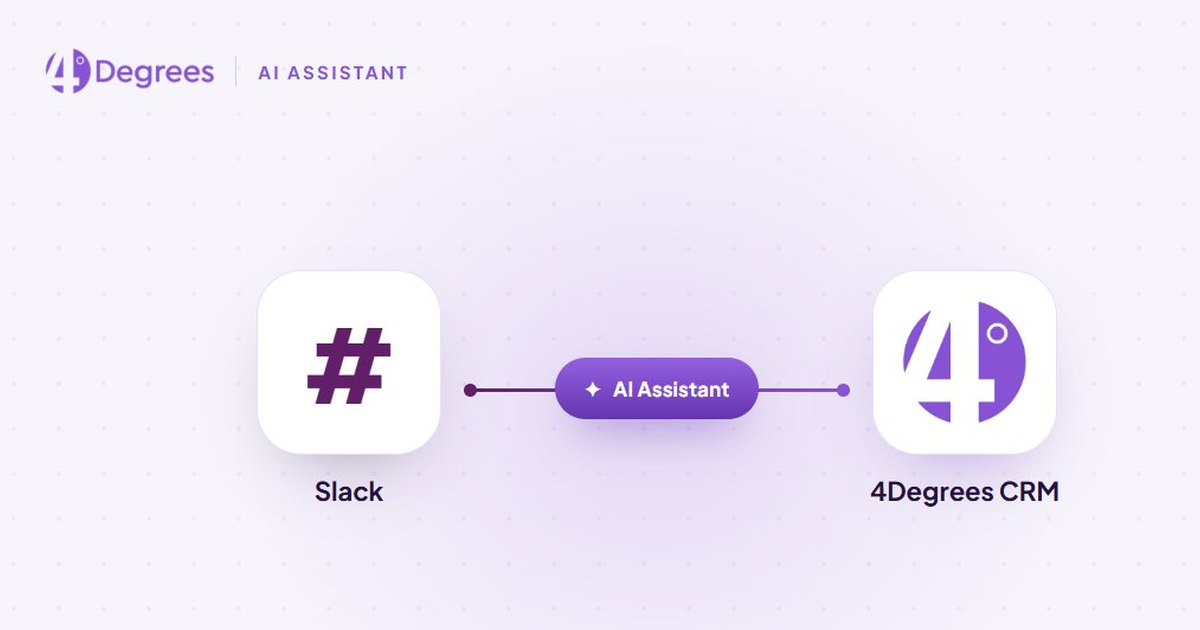
4Degrees AI Assistant in Slack
Your CRM can now join the conversation.
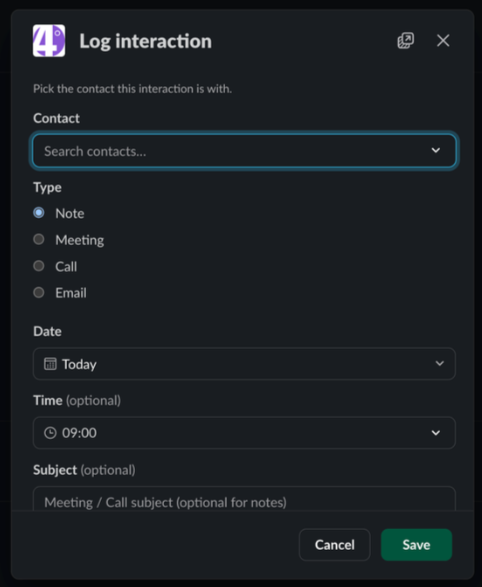
With the 4Degrees AI Assistant in Slack, deal teams can ask questions about contacts, deals, companies, warm introductions, and pipeline activity without leaving the place where they are already working.
Users can mention 4Degrees in a channel or DM, follow up in the same thread, summarize Slack conversations into CRM notes, log interactions, create deals, set reminders, and update records directly from Slack.
The assistant follows each user’s 4Degrees permissions, so teams can use it in Slack while keeping CRM access controls intact.
Why it matters: Important deal context often starts in Slack, but it does not always make it back into the CRM. The 4Degrees AI Assistant helps teams turn conversations into better records, faster follow-up, and more complete relationship intelligence.
View Smaller Improvements and Fixes
Rich text in Long Text custom fields: Long Text fields now support formatted content such as bold text, lists, headings, and safe links across deal, contact, and company views.
Cleaner full-organization exports: Full Org Data Export ZIPs now use clearer folder and file names, making exported files easier to navigate and share.
More reliable deal grids and reports: Deal lists and reports now handle empty “Last viewed” values more consistently, preventing related page and report errors.
Stronger deal news access controls: Deal news now more consistently respects deal visibility, list permissions, and organization boundaries.
Faster web app cold starts: The web app now starts faster by removing unnecessary PDF-rendering warmup during startup.
June 8, 2026
Keep Deal Documents Connected to the Deal
Deal teams often manage relationships and pipeline activity in one system, then switch to a separate data room to exchange documents with investors, buyers, clients, and acquisition targets.
External Data Rooms in 4Degrees bring those workflows together. Teams can create secure, branded spaces to share documents, request missing files, and manage access, all while keeping activity connected to the relevant relationships and opportunities.
This gives private equity, venture capital, investment banking, and corporate development teams one place to manage the people, process, and documents behind a fundraise, diligence process, or transaction.
Why it matters: Instead of piecing together a CRM, file-sharing tool, and standalone data room, teams can manage external document collaboration within the same platform they use to move deals forward.
June 1, 2026
Mobile Company Details
Mobile users can now open a full Company Details screen directly from the Companies list.
The new view provides quick access to company information, related contacts, and related deals from within the mobile app. Because the screen works from the local cache, users can continue accessing company context even when offline.
Why it matters: Deal teams are not always at their desk. Mobile Company Details makes it easier to review relationships, opportunities, and company information while traveling, between meetings, or working on the go.
View Smaller Improvements and Fixes
Mobile contact and deal detail refresh improvements.
Cleaner mobile list design across companies, contacts, and deals.
Slack installation and action confirmation improvements.
Reminder page reliability improvements.
May 25, 2026
Smarter AI Chat Agent
AI becomes more useful when it can work with the same context and terminology your team already uses.
The Ask 4Degrees assistant now recognizes your organization’s terminology, surfaces enriched company data from providers like Dealroom, Crunchbase, and Fullcontact, and no longer exposes technical system jargon in chat responses.
Teams can also complete more actions directly through chat, including reassigning company owners, moving deals across pipelines, creating tags, adding notes to contacts, and updating company information, reducing the need to switch back into the web app for common workflows.
Duplicate detection has also been added when creating contacts, deals, reminders, tags, emails, and phone numbers through chat, helping keep CRM data cleaner and more reliable.
Why it matters: AI assistants are most useful when they can work with real CRM context and support day-to-day workflows. These updates make the Ask 4Degrees assistant more practical for managing deals, relationships, and pipeline activity.
View Smaller Improvements and Fixes
CSV import reliability and conflict resolution improvements.
Mass email accuracy and usability improvements.
Contact, company, and deal page navigation improvements.
Data integrity and record consistency improvements.
Search, activity feed, and data presentation improvements.
API and automation workflow improvements.
May 18, 2026
AI Assistant Now Manages Deals, Companies, and Contacts
The 4Degrees AI Assistant can now help users take action across key CRM records, including deals, companies, and contacts.
Users can create and update deals, move deal stages, tag records, log meetings and calls, manage reminders, update company notes, and edit contact details directly through the AI Assistant. This makes the AI Assistant more than a place to ask questions. It can now help users complete common CRM tasks without switching between records, fields, and workflows.
Write actions are opt-in, so users stay in control of when the AI Assistant can make changes to CRM data. We also added safeguards that warn users if the AI Assistant ever claims it completed an action that was not actually executed.
View Smaller Improvements and Fixes
CSV import reliability and conflict resolution improvements.
Mass email accuracy and usability improvements.
Contact, company, and deal page navigation improvements.
Data integrity and record consistency improvements.
Search, activity feed, and data presentation improvements.
API and automation workflow improvements.
May 8, 2026
Redesigned Investment Banking Mandate Workflow
Investment banking teams now have a more structured way to manage mandates in 4Degrees.
When a deal reaches the right stage, teams can create a mandate and automatically generate a related pipeline to track the companies, investors, funds, or other parties they are approaching for that mandate. This gives bankers a clearer way to connect business development, mandate tracking, outreach activities, and target pipeline management in a single workflow.
This update also simplifies the Create Mandate experience. Converting a BD deal to a mandate no longer requires a company, and pipeline settings are now configured by stage rather than by name.
The result is a cleaner, more flexible workflow for investment banking teams managing active mandates in 4Degrees.
View Smaller Improvements and Fixes
Native Fathom meeting notes integration, allowing meeting notes from Fathom to be automatically ingested into 4Degrees.
Faster deal list loading, especially for lists with many custom columns.
Improved search stability for long or complex search queries.
New mobile reminder actions, making it easier to add reminders from meeting attendee tiles and contact detail screens.
Improved mobile deal sync reliability, with live progress indicators and clearer rate-limit messaging.
Admins now have a dedicated user offboarding page that previews affected records before a user is removed.
Outlook add-in improvements, including clearer custom field labels and support for submitting deals without a company when that field is optional.
May 1, 2026
4Degrees Campaigns Preflight Validation
You can now validate your email recipients before sending.
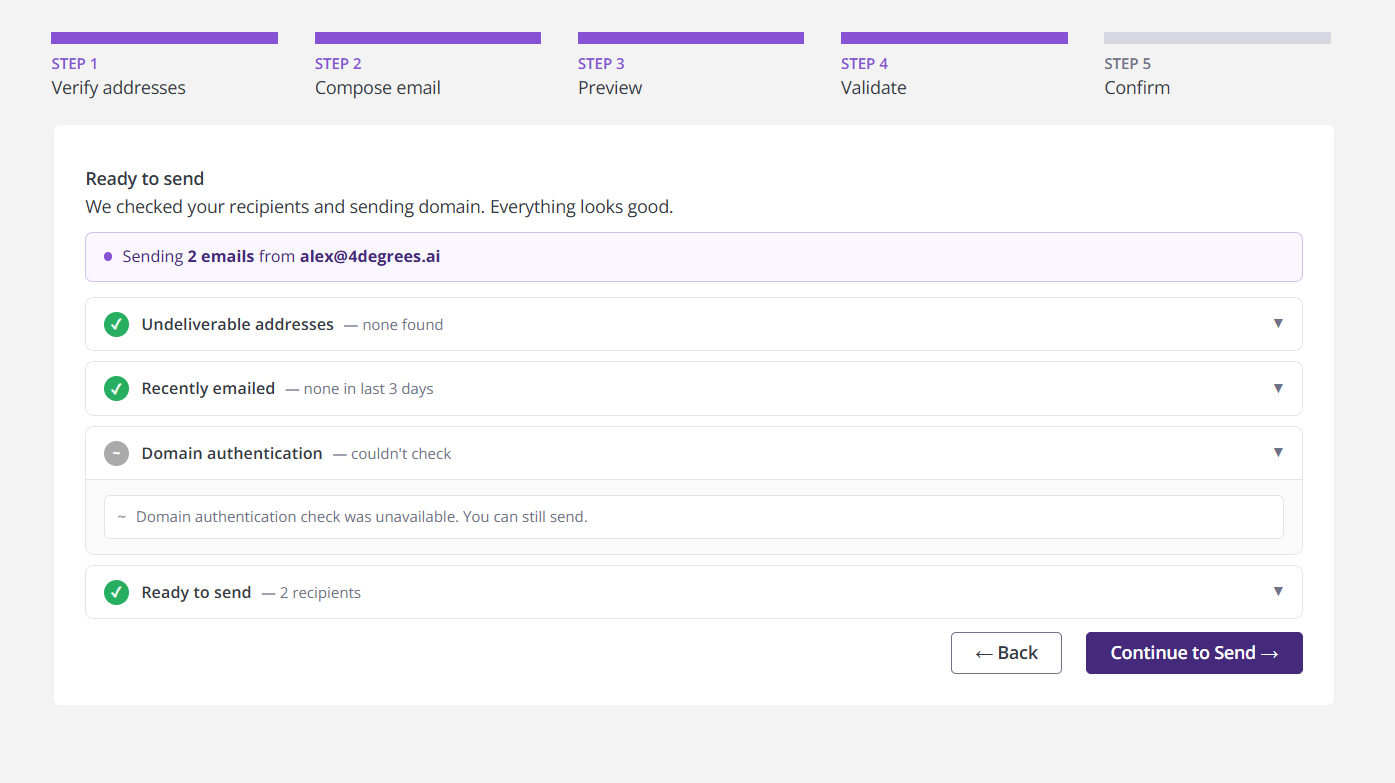
A new “Validate” step in the Campaigns mass email workflow checks for bounced, unsubscribed, and recently emailed contacts, along with domain authentication status. You'll see exactly who will receive your email and why certain recipients are excluded before you send.
Why it matters: Sending emails without full visibility creates risk. Preflight validation helps you avoid overcontacting recipients, reduce errors, and ensure your campaigns go out cleanly and as intended.
View Smaller Improvements and Fixes
Mobile performance and saved view improvements.
AI assistant query and filtering improvements.
Document intelligence performance improvements.
News feed accuracy and relevance improvements.
Contact and interaction data accuracy improvements.
Outlook integration improvements.
Availability in ChatGPT and Claude app directories.
April 24, 2026
4Degrees MCP (Model Context Protocol)
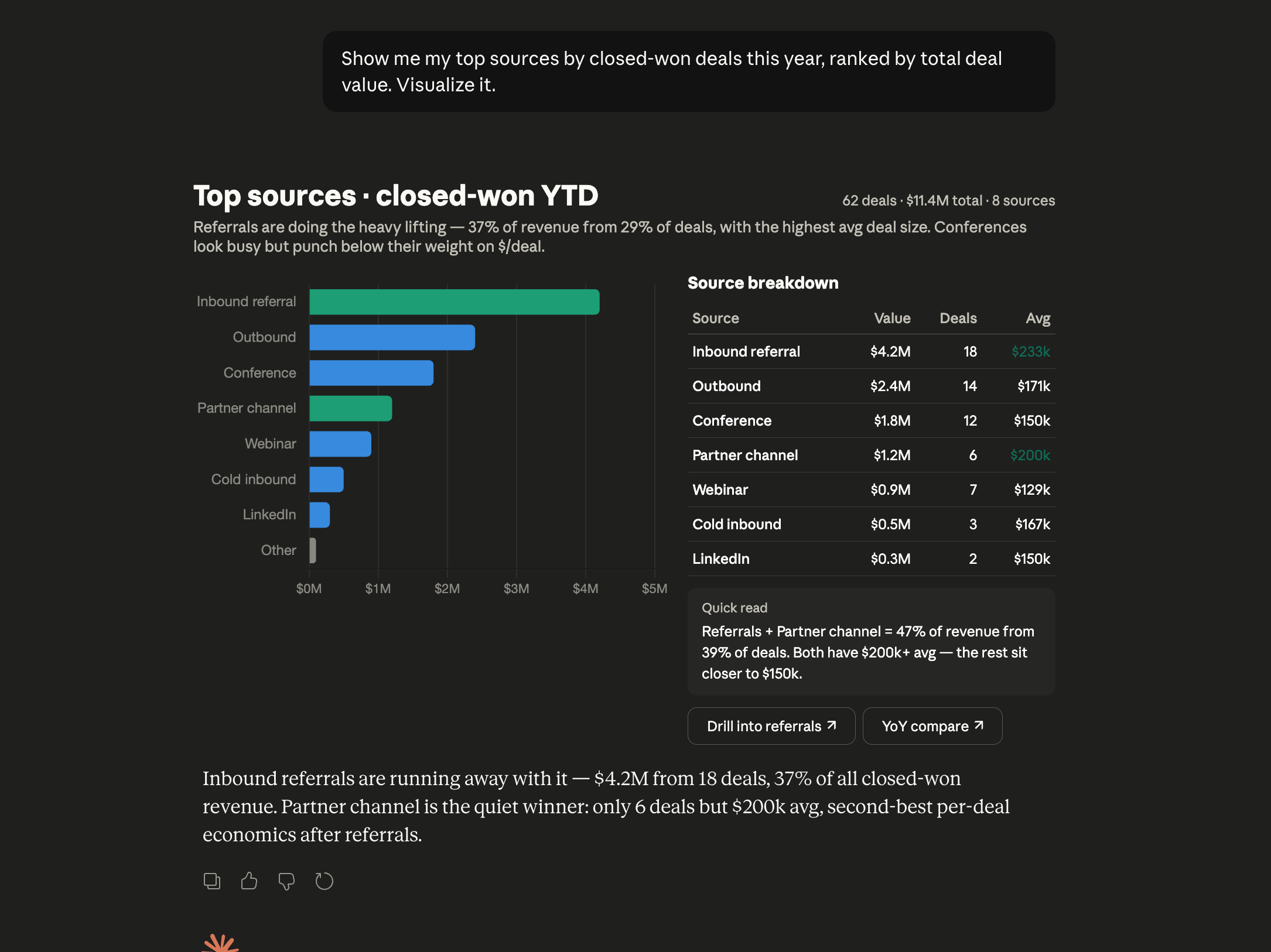
You can now use 4Degrees with AI tools like ChatGPT and Claude to combine your firm’s deal and relationship data with external information and generate more useful outputs in real time.
With 4Degrees MCP, AI can work with the context already captured in your CRM, including relationship intelligence, deal activity, and interactions, while incorporating information beyond your CRM in a single workflow.
This enables support for workflows such as preparing meeting briefings, evaluating opportunities with a broader context, and using relationship intelligence in AI-assisted research.
Why it matters: AI is more useful when it can work with the context your team already relies on. 4Degrees MCP helps deal teams move faster, work with better information, and reduce manual stitching across disconnected systems.
View Smaller Improvements and Fixes
Public API v2 write endpoint improvements.
Mass email reliability improvements.
Performance improvements for large datasets.
News feed accuracy improvements.
Mobile stability and filtering improvements.
Search and filter accuracy improvements.
Contact and company enrichment reliability improvements.
April 17, 2026
Mass Email Signatures in Campaigns
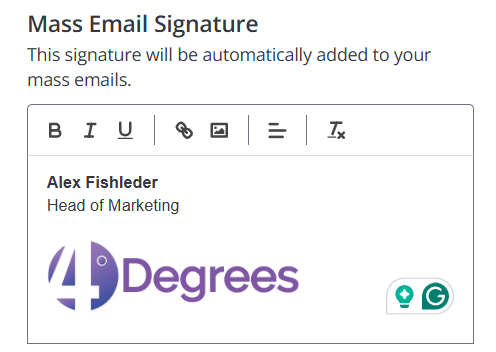
You can now create and apply email signatures directly within 4Degrees Campaigns.
Use the built-in editor to format text, add links, and include images so every outbound email is consistent and on-brand.
Signatures are automatically applied to your mass emails, making it easier to standardize outreach without extra setup.
View Smaller Improvements and Fixes
Improved accuracy of news article matching to companies.
Fixed issues with deal filters returning incorrect results.
Improved performance when viewing large email threads.
Fixes to CRM reporting and CSV imports for more accurate data handling.
Mobile improvements, including funding round sync and saved view filters.
April 10, 2026
Ask 4Degrees AI Assistant
Most CRM workflows assume you know where to click.
Filters. Fields. Reports. Lists.
That's not how deal teams actually work.
The 4Degrees AI Assistant gives you a new interface to your CRM. Ask questions in plain language and get immediate answers about your deals, relationships, and pipeline.
Responses are grounded in your firm's data and include cited sources, so you can trust what you're seeing.
Available across the platform, the assistant persists as you move between pages and adapts to what you're viewing.
Why it matters: CRM data is only useful if you can access it quickly. The AI Assistant removes the friction between questions and answers, so you can understand what's happening without digging through workflows.
View Smaller Improvements and Fixes
Contacts list performance and filtering improvements.
Company matching and duplicate detection improvements.
Reporting accuracy and export improvements.
Data export resilience improvements.
News feed accuracy improvements.
April 3, 2026
Faster, More Flexible Contact Lists
Contact lists now load faster and give you more control over how you find people. Filter by tags, dates, seniority, status, custom fields, and more, with default sorting based on relationship strength so the right connections surface first.
Cleaner Data with Smarter Duplicate Detection
Companies are now checked for duplicates automatically when created or imported. Matching logic accounts for names, domains, and legal suffixes, with a warning and link to existing records so you can avoid duplicates and keep your data clean.
Easier CSV Imports with Better Visibility
CSV uploads are now easier to manage. Multi-select fields split and deduplicate automatically, and a new progress view shows what's mapped and what's left, so you can complete imports with less guesswork.
Clear Document Status at a Glance
You can now see the status of documents during upload and processing. Files marked as scanning or blocked are clearly labeled, so you know when they're ready before opening or sharing.
More Accurate Relationship Strength
Relationship strength scores are now more accurate across your network. Improvements to contact coverage, company matching, and activity handling ensure scores reflect real interactions, helping you prioritize the right relationships.
View Smaller Improvements and Fixes
Performance improvements across contact search, deal lists, reports, and exports.
Fixes to reporting and chart exports, including layout, colors, and rendering.
Improvements to deal lists, filters, sorting, and report stability.
Fixes to mass email recipient accuracy after contact updates.
Kanban interaction and editing improvements.
Network Scout filtering accuracy improvements.
Mobile deal sync stability improvements.
Search and filtering reliability improvements.
March 27, 2026
Smarter Introduction Detection
Introduction tracking is now more accurate, giving you a clearer view of how relationships form and are maintained across your network.
Improved detection reduces false positives and recovers previously missed introductions, helping ensure your relationship data reflects real interactions. Filters for bot senders, self-introductions, calendar invites, and reply acknowledgments keep results clean and relevant.
Why it matters: Relationship-driven teams rely on accurate introduction data to understand who connects them to opportunities. Cleaner, more reliable tracking makes it easier to identify warm paths and maintain a complete picture of your network.
View Smaller Improvements and Fixes
AI Assistant improvements, including enhanced filtering, expanded data coverage, support for custom fields, and improved stability and messaging.
Chrome extension performance and search improvements.
Fixes to email campaign exports and pagination.
Outlook add-in loading improvements.
March 20, 2026
Document Intelligence: Batch Upload & Review
You can now upload multiple files or entire folders to automatically extract deal data using AI. A centralized jobs dashboard shows real-time progress, and extracted information can be reviewed, edited, or applied in bulk. Move from raw documents to structured deals faster, with full visibility and control at every step.
View Smaller Improvements and Fixes
Deal list pages now load faster thanks to improved query batching and reduced network requests.
Board view interactions now update instantly when cards are added, moved, or removed.
Export actions from reports now display loading indicators so users know when a file is being generated.
Improved handling of name formats when importing contacts, including titles, suffixes, and "Last, First" formats.
March 6, 2026
Email & Meeting Activity Columns
Lists can now show recent email and meeting activity in dedicated columns, giving teams a stronger way to review relationship engagement directly from list views.
This update builds on existing interaction tracking by making recent activity easier to scan across contacts and companies without opening individual records.
What's included
• Surface recent email activity in dedicated list columns
• Surface recent meeting activity across contacts and companies
• Review relationship engagement more quickly from list views
Inline Action Menu for Lists
A new "+" button on Company and Deal list rows allows you to quickly add notes or reminders directly from list rows without opening a detail page.
Why it matters: This makes it easier to capture follow-ups while reviewing pipelines or company lists.
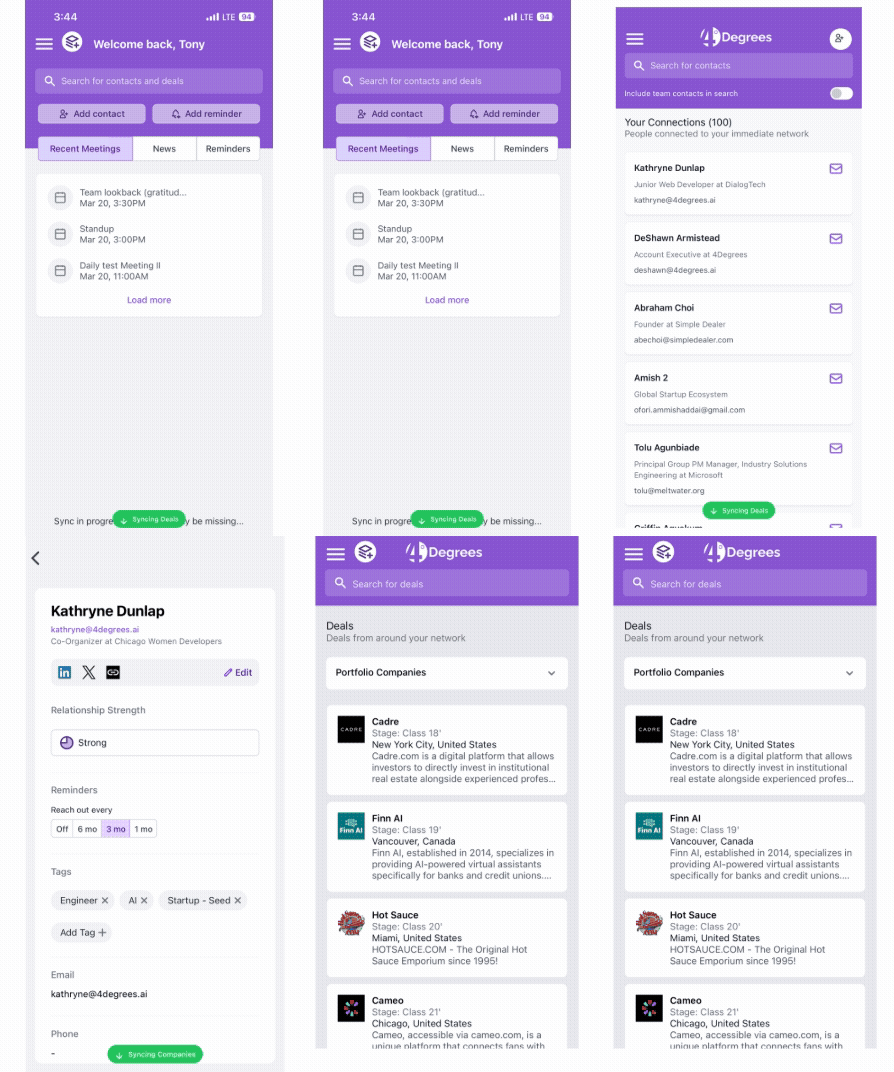
Mobile Experience Improvements
Several improvements enhance stability and usability across the mobile app.
What's included
• Improved mobile search accuracy and whitespace handling
• Updated dashboard search design with company logos
• Deal cards now display list badges in search results
• Improvements to Android deal list performance
View Smaller Improvements and Fixes
Campaigns now include test email sending, giving teams a simple way to review formatting and content before launch.
Interaction logs can now be filtered by activity type, allowing users to view emails, meetings, notes, and other interactions independently.
Chrome extension improvements include a password visibility toggle.
Improved company search when creating deal flow entries from the Chrome extension.
February 13, 2026
Company Merge Wizard
You can now merge duplicate companies using a guided three-step workflow. Select the primary record, review and resolve conflicting fields, and preview the changes before completing the merge.
Kanban Stage Count Badges
Kanban boards now show the number of deals in each stage, updating as cards move through the pipeline.
Funnel View for Deal Lifecycle Reports
A new Funnel View makes it easier to analyze how deals progress through your pipeline by visualizing stage-to-stage conversion.
Teams can review how deals move through each stage of the lifecycle and exclude non-linear stages when analyzing funnel performance.
What's included
• Visualize conversion between deal stages
• Understand how deals progress through the pipeline
• Exclude stages such as Passed On or On Hold when reviewing funnel performance
Dealroom Funding News on Dashboard
Your dashboard now surfaces Dealroom funding news alongside other market signals, helping you stay informed about relevant funding activity across the market
Filtered Interaction Activity Log
The interaction log now separates activity by type, allowing users to quickly view emails, meetings, notes, and other activity independently.
Filters also allow teams to isolate interactions by teammate or time range.
View Smaller Improvements and Fixes
New list columns now show the number of associated deals and sourced deals for both contacts and companies.
Manual notes tagged as email or meeting interactions now appear in their respective activity tabs instead of the general notes section.
Additional enhancements improve list loading speed, dashboard readability, and the presentation of funding data.