
Spend Less Time Maintaining Your CRM
Your team already creates the information your CRM needs across emails, meetings, notes, and documents. 4Degrees captures that activity as your team works.
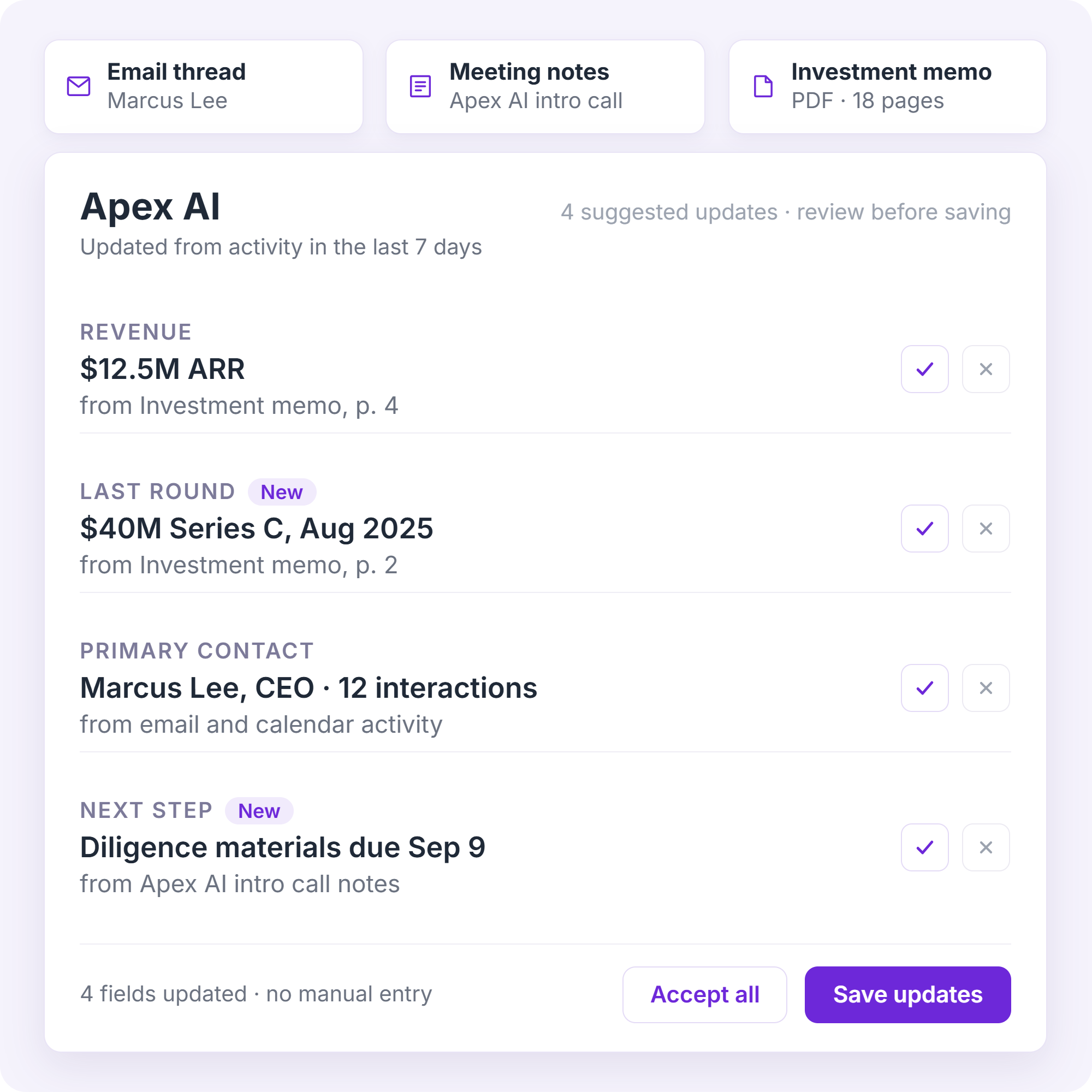
AI-powered field suggestions and Document Intelligence can also turn unstructured information into structured CRM updates for review.
The result is less manual upkeep and more reliable data across your deals, relationships, and pipeline.
Less Upkeep. More Reliable Data.
Reduce manual CRM entry and cleanup
Turn notes, documents, and activity into structured CRM data
Keep deal and relationship information current
Know Everything Before the Meeting
4Degrees brings together deal history and Relationship Intelligence, including who knows whom, relationship strength, interactions, meetings, notes, and the knowledge your firm has built over time.
The AI Assistant uses that context to help your team prepare for meetings, understand opportunities, find relevant relationships, and take action in the CRM.
Move From Context to Action
Prepare for meetings in seconds, not an hour of digging
Understand opportunities and recent activity faster
Find the strongest path into any company or deal
Set reminders, log notes, and update records by asking
.png)
Stay Ahead of What Needs Attention
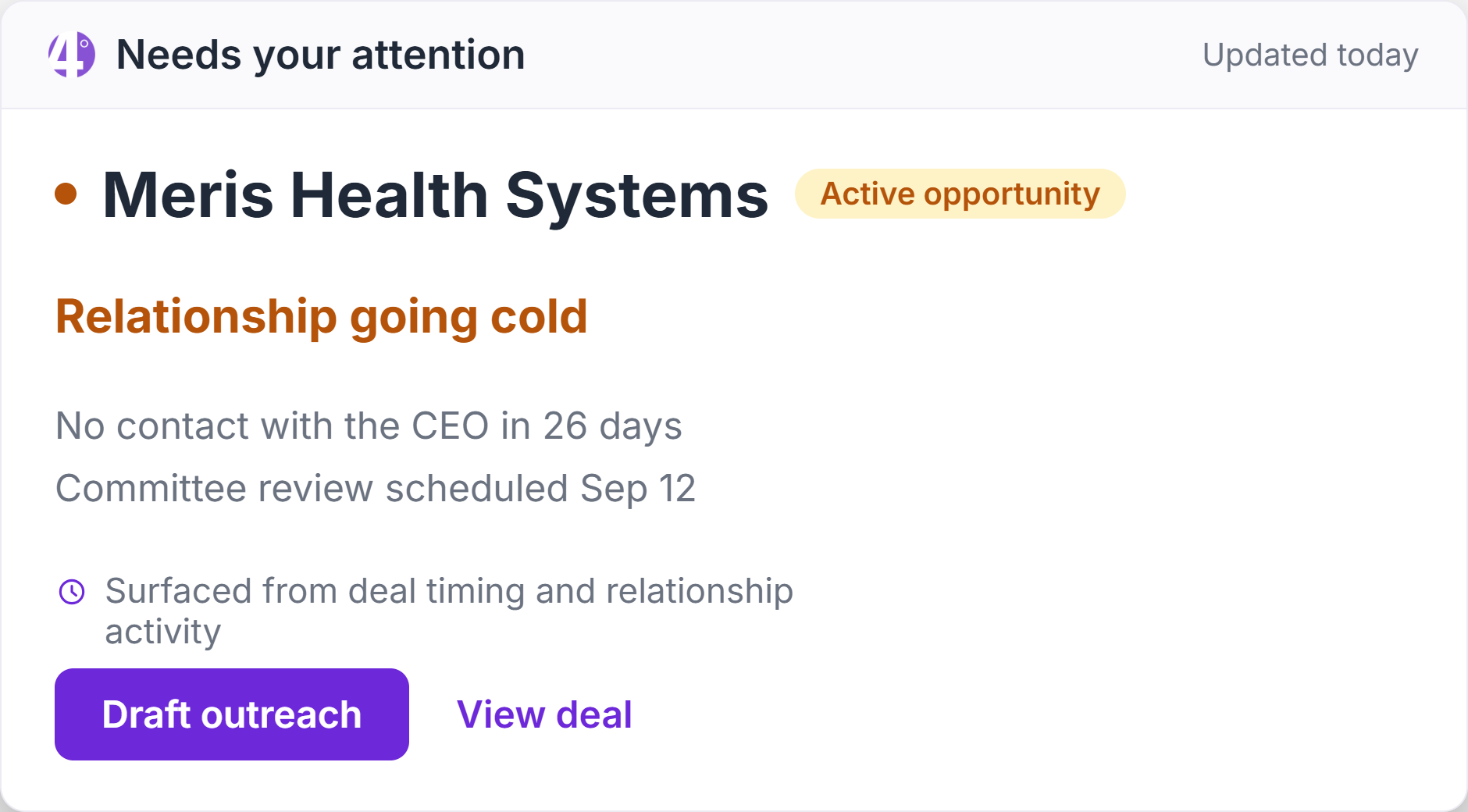
4Degrees uses your team’s activity, relationships, and workflows to surface important changes, follow-ups, and suggested CRM updates as deals progress.
Timely context, reminders, and alerts help your team spot what needs attention, follow up at the right time, and keep deals moving without relying on individual memory.
Put Your Firm’s Context To Work In Any AI Conversation
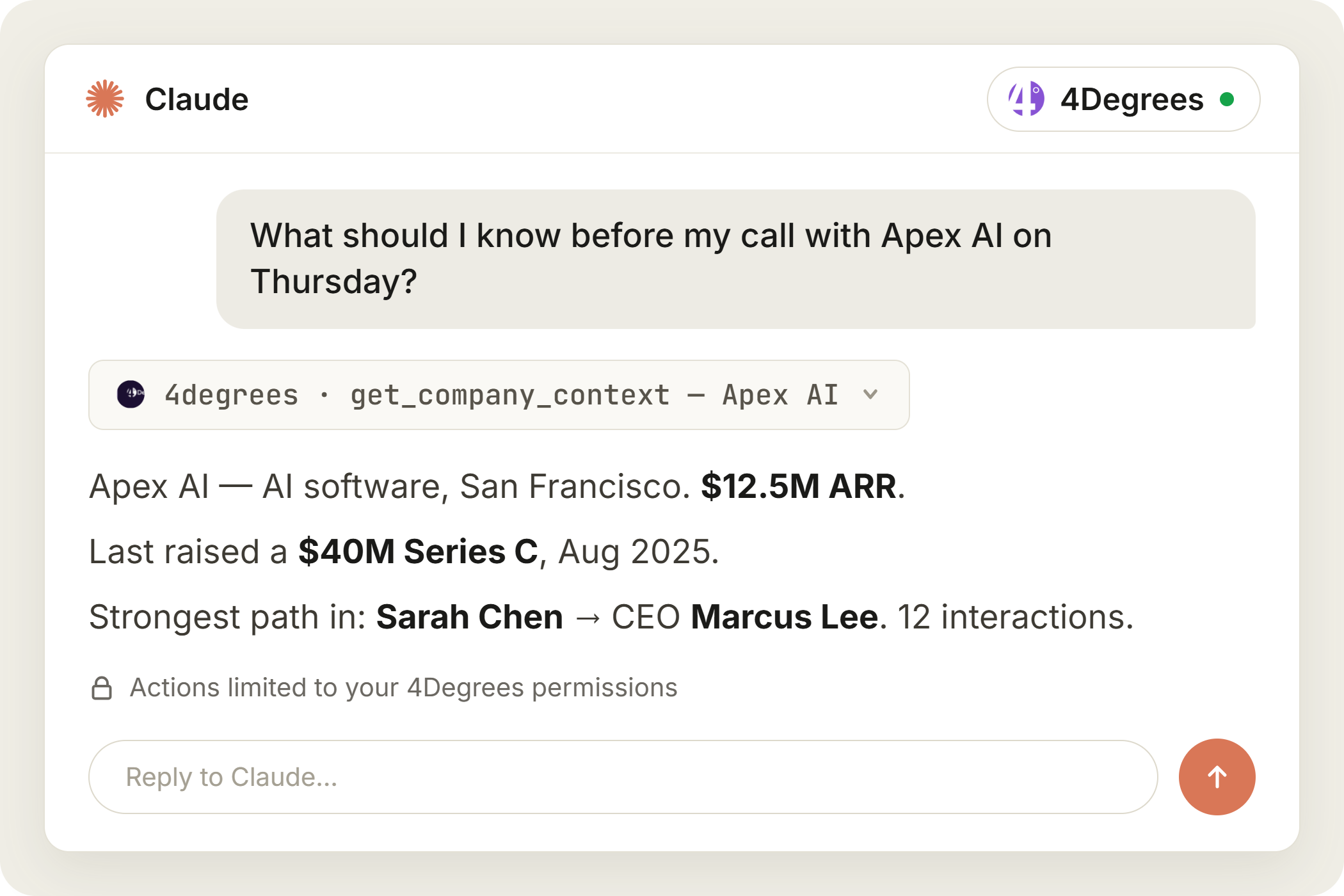
Bring your firm’s deals, relationships, and history into ChatGPT, Claude, and Microsoft Copilot without manually copying information between systems.
Through MCP, 4Degrees connects these tools to relevant CRM context and supported actions within each user’s permissions.
Put Your CRM Context to Work
Prepare for meetings with CRM context and external research
Ask questions about deals, companies, contacts, and relationships
Find relevant connections across your firm’s network
Make permitted CRM updates without switching systems


Smooth, Simple & Easy-to-learn interface
“4Degrees offered a smooth, simple, and easy-to-learn interface that provided a stress-free avenue for staff members to design and build reports.”
Artificial Intelligence FAQs

4Degrees uses AI to reduce CRM upkeep, turn unstructured information into reliable data, and surface relevant deal and relationship context. The AI Assistant can also answer questions and complete supported CRM actions, such as updating records, adding notes, and setting reminders, within each user's permissions.
Traditional CRM functionality organizes information through records, fields, reports, and workflows. 4Degrees AI builds on that foundation by interpreting information from notes, documents, emails, meetings, and conversations. This helps your team keep data current, find relevant context faster, and take action with fewer administrative steps.
4Degrees combines deal history with Relationship Intelligence, including who knows whom, relationship strength, interactions, meetings, notes, and recent activity. AI uses that firm-specific context to help your team prepare for meetings, understand opportunities, find relevant connections, and determine what needs attention.
Document Intelligence identifies relevant company and deal information in PDFs and presentations, including financials, company details, and transaction details. It then presents suggested updates for review in the appropriate CRM fields, reducing the need to copy information manually.
Suggested updates from notes and documents are presented for review before they are applied. When a user asks the AI Assistant to complete a supported CRM action, it follows that user's permissions and the requested workflow. This keeps your team in control of what is added or changed.
Yes. Through MCP, 4Degrees can make relevant CRM context and supported actions available in ChatGPT, Claude, and Microsoft Copilot. Your team can research opportunities, prepare for meetings, explore relationships, and make permitted CRM updates without manually copying information between systems.
Yes. Every 4Degrees subscription includes all AI capabilities, with no premium AI tier, credits, usage fees, or usage limits.


